How to Reserve
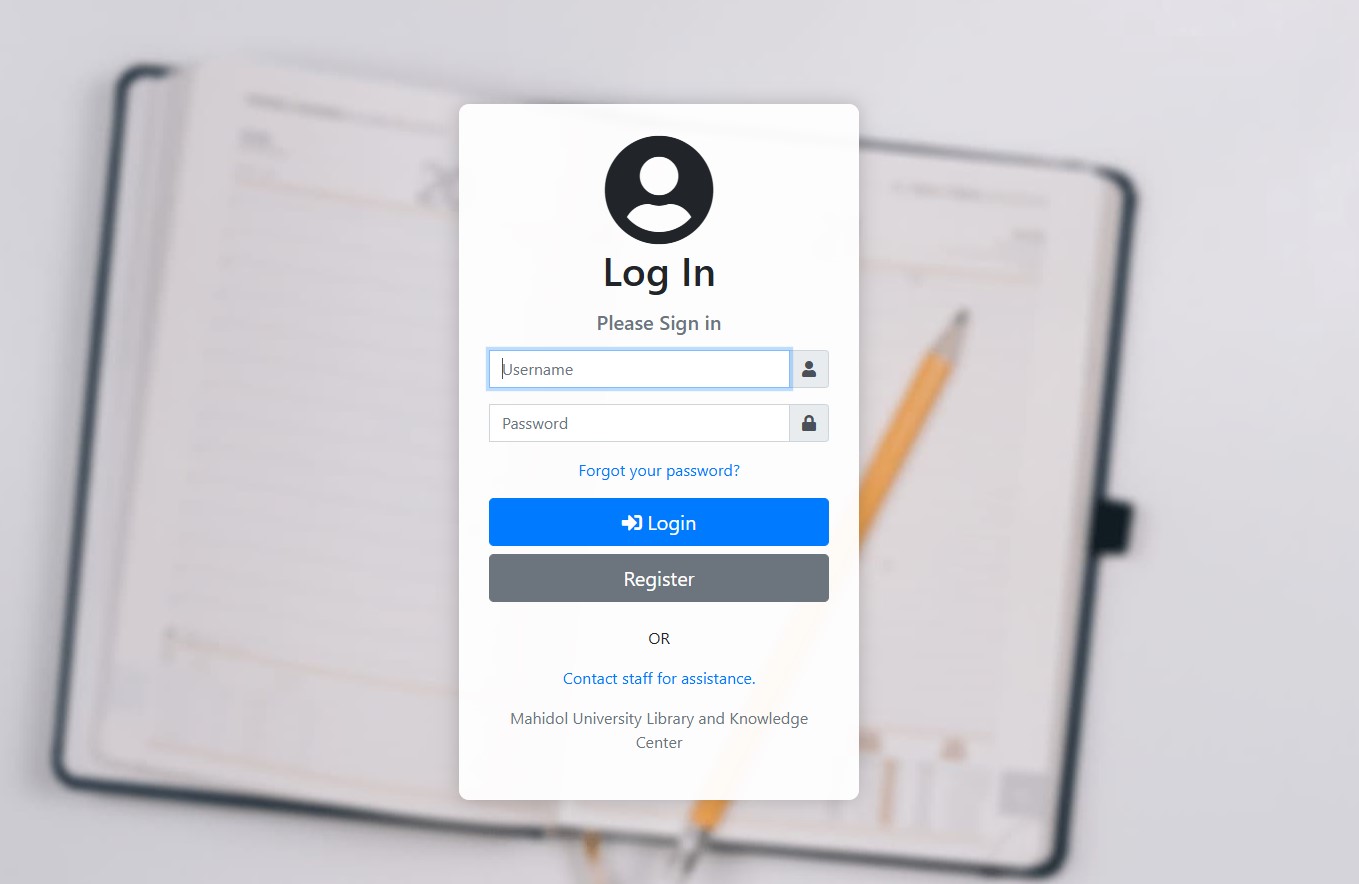
1. ผู้ใช้บริการต้อง Login เข้าระบบก่อนการใช้งานทุกครั้ง สำหรับการเข้าใช้งานระบบครั้งแรก ผู้ใช้บริการต้องลงทะเบียน โดยการคลิกที่ปุ่ม Register จากนั้นกรอกข้อมูลให้ครบถ้วน แล้วคลิกปุ่ม Register
(Users must log in to the system before each use. For first-time access, users must register by clicking the "Register" button, filling in all required information completely, and then clicking the "Register" button again.)
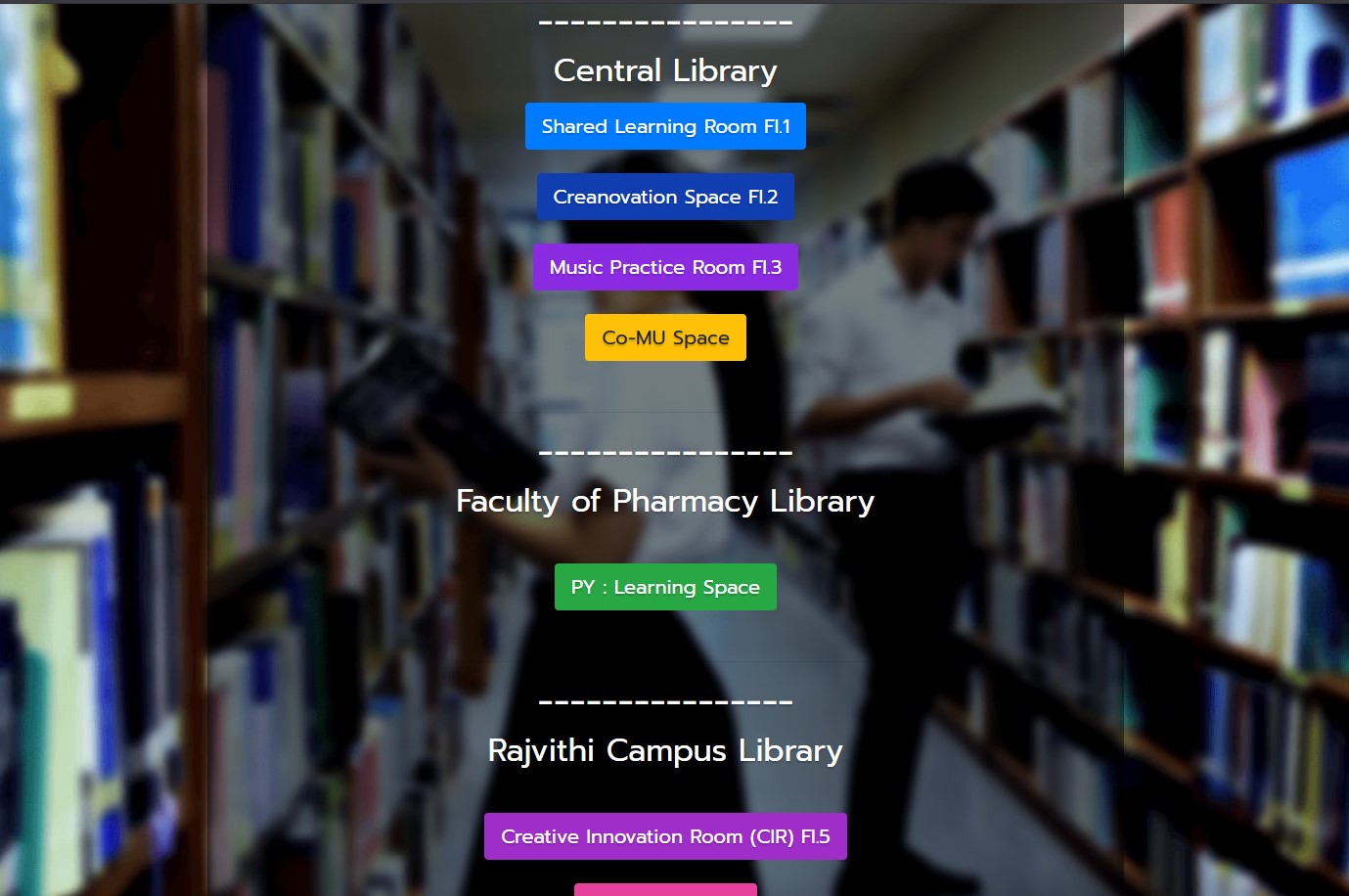
2. คลิกเลือกปุ่มพื้นที่ที่ต้องการใช้บริการ เพื่อแสดงเวลาการจองห้อง
(Click on the button for the desired service area to display the room booking schedule.)
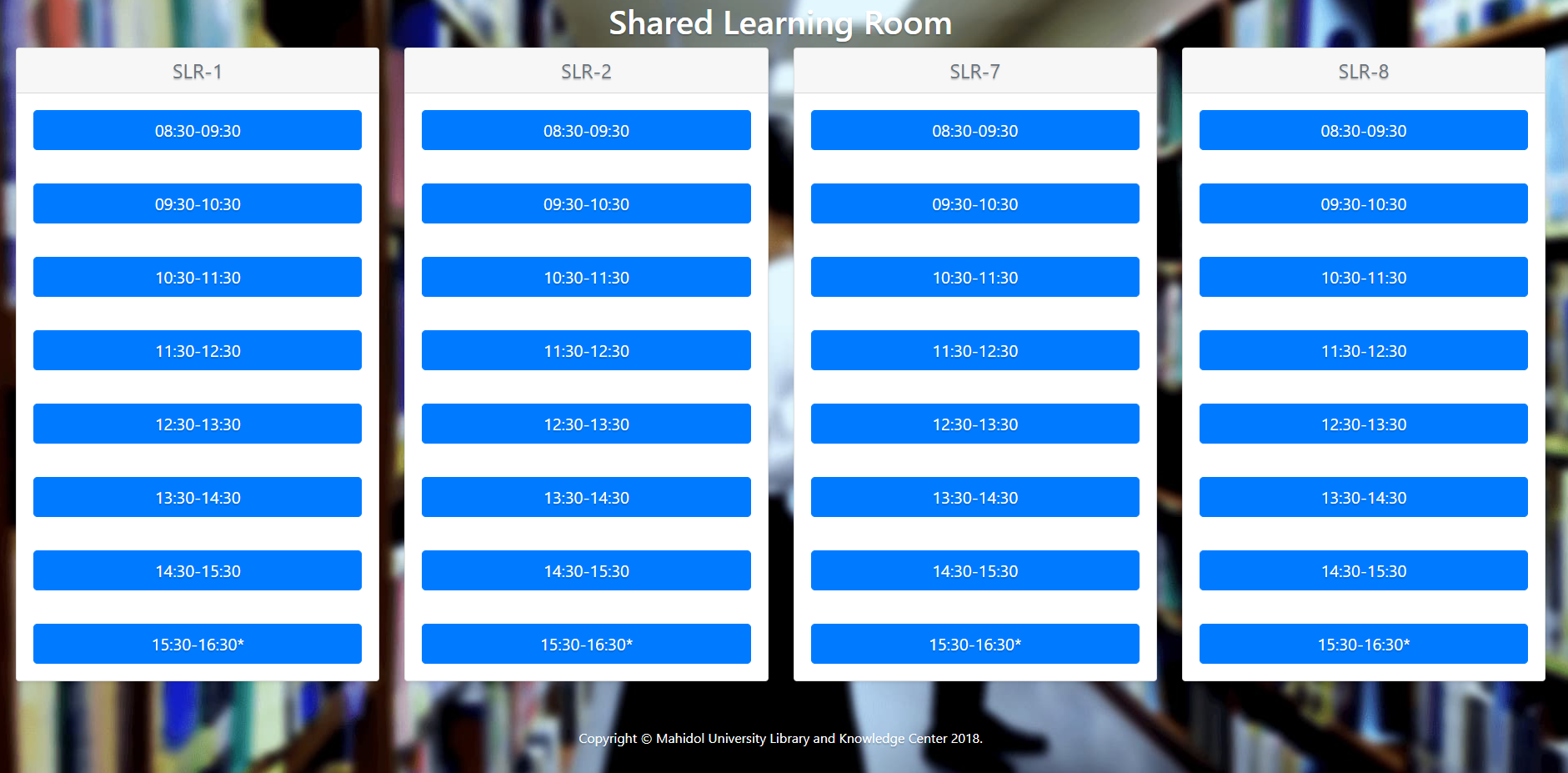
3. เลื่อนหน้าจอเพื่อดูช่วงเวลาทั้งหมดที่ห้องว่าง สามารถจองได้ โดยคลิกที่เวลาที่ต้องการจะจองห้อง
(Scroll the screen to view all available time slots. To make a reservation, click on the desired time.)
4. กรอกข้อมูลให้ครบถ้วน และทำเครื่องหมายเพื่อยอมรับข้อกำหนดสำหรับการใช้งาน ผู้ใช้บริการทุกท่านต้องมี accout ในระบบเพื่อที่จะสามารถจองห้องได้
(Fill in all required information and check the box to accept the terms of use all users must have an account in the system in order to be able to book a room .)
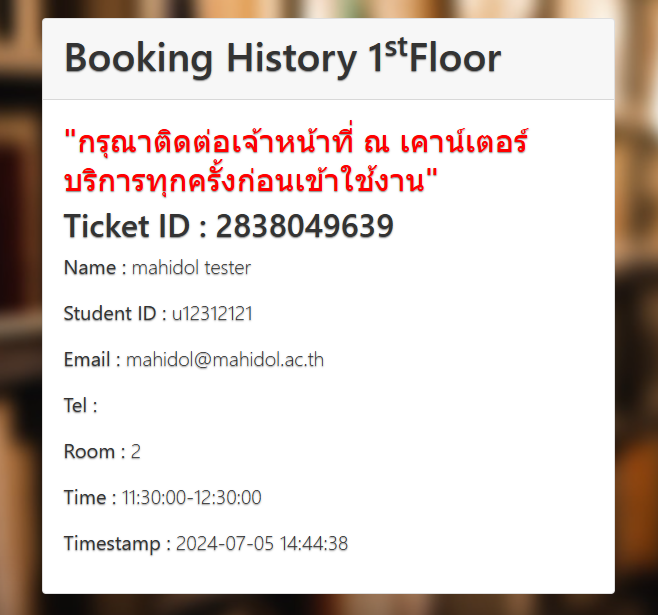
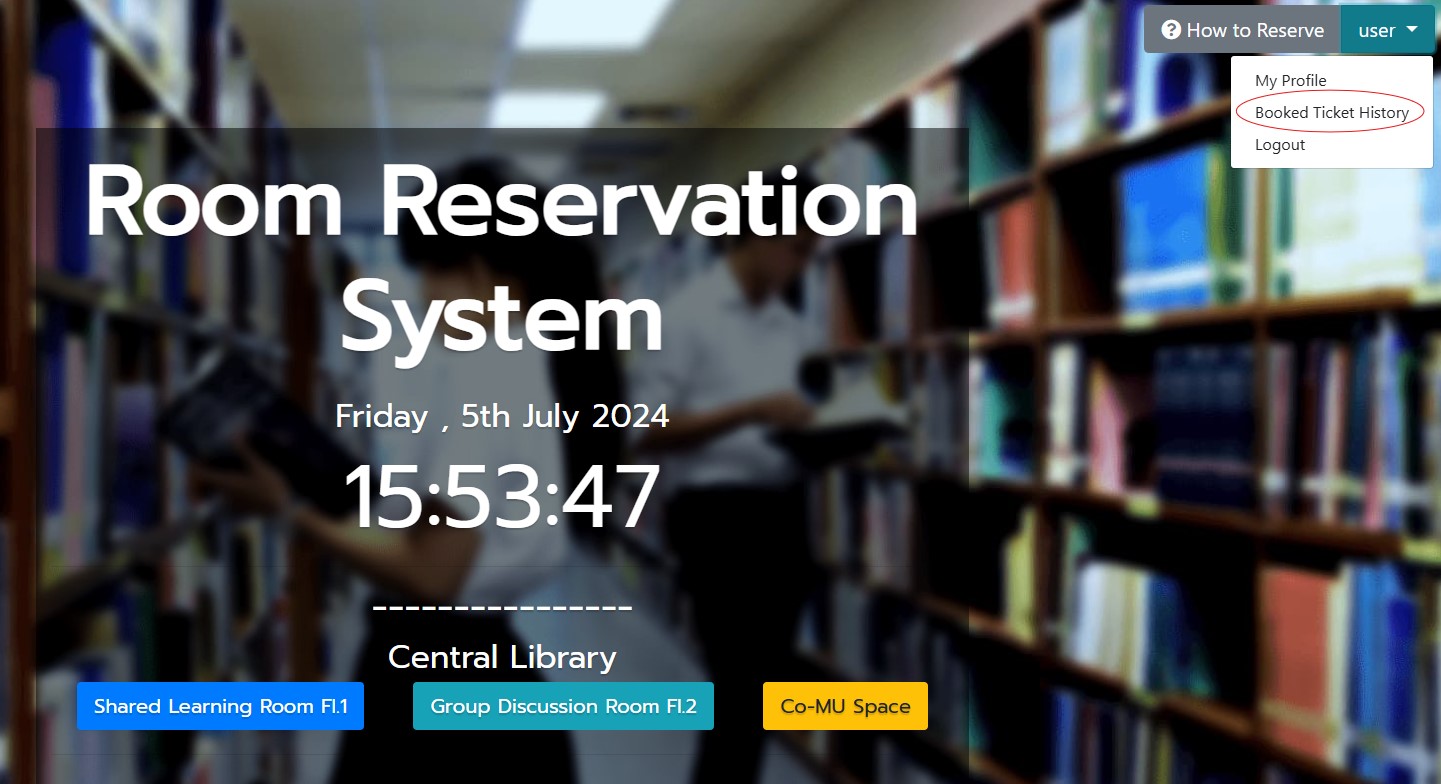
5. เมื่อใกล้ถึงเวลาที่จอง ให้แสดง Ticket ID โดย Login เข้าระบบจองห้องและคลิกปุ่มลูกศรบริเวณมุมบนขวาข้าง Username ของท่าน แล้วเลือกคำสั่ง Booked Tictket History ที่บันทึก Ticket ID ที่ท่านได้ทำการจองห้องไว้แล้วภายใน 1 วัน
(When your reserved time is approaching, log in to the room booking system and show your Ticket ID by clicking the arrow at the top-right corner next to your username. Then select "Booked Ticket History" to view your Ticket ID, which is stored for up to one day.)