Frequently Asked Questions (FAQ): e-Databases

This FAQ provides guidance on accessing e-Databases, resolving access issues, and using electronic resources in accordance with publishers’ guidelines, ensuring users access library resources conveniently.

 Message shown on screen

The error message means “Incorrect password”. Entering the correct password will provide access to the database.

Correct login formats

Username format
Use “u” or “g” followed by your student ID
Example
 u61xxxxx หรือ g61xxxxx
Password
The same password used for your Mahidol University email or MU-WIFI
Username format
Use your first name, a dot, then the first three letters of your surname
Example
 firstname.sur
Password
The same password used for your Mahidol University email

 
What you should know

  1. Users are allowed up to 3 login attempts. If the login exceeds 3 failed attempts, the system will automatically suspend access.

  2. Users should not attempt to change the password themselves. Please report the issue through the channels below.

 Message shown on screen

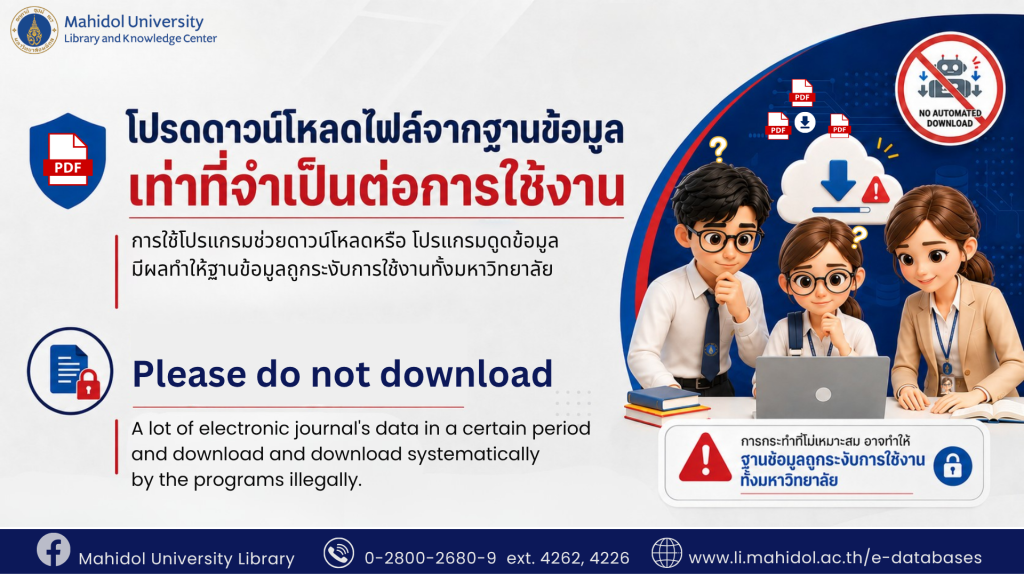
Download access is automatically suspended if data downloads (such as journal articles or e-books) exceed 200 MB per login per day.

  • Email the administrator at jirawan.nar@mahidol.ac.th to request that your account be unblocked.

  • After reviewing your usage log, if no unusual activity is detected, access will be restored within 24 hours.

  • Support is available daily, including public holidays, from 7:00 AM to 9:00 PM.

  1. Suspension by publisher — a suspension of Mahidol University’s IP address

    In some cases, publishers will suspend access to electronic databases that Mahidol University subscribes to at the institutional IP Address level, resulting in users under Mahidol University’s IP Address being unable to access that database.

    This suspension occurs because the publisher cannot directly identify the specific user violating the terms. Therefore, it is necessary to suspend access at the university network level to prevent damage. The publisher will send a notification letter to the university administrator to investigate the relevant users, through a joint process with the Division of Information Technology, Mahidol University.

    IP address unblocking by publisher

    In cases where a publisher suspends the university’s IP Address, the Library cannot directly unblock it. An official clarification letter must be submitted to the publisher, which must be signed exclusively by the Director of the Library. After the publisher receives and considers the letter, they will proceed to unblock the IP Address, which may take several days.


     

  2. Suspension by the EZproxy system — a suspension for individual users only

    Suspension in this case blocks only accounts where unusual activity is detected as a primary preventive measure, without affecting other users. Users can notify the Admin to unblock according to the message displayed on the system screen.

Users can choose not to report it. However, they need to wait for 15 days, and the system will automatically unblock the account.

The administrator will check the user’s usage log to confirm that it is normal usage and will unblock the account within 24 hours.

Alumni who have graduated will not be able to access the databases. For more information, please visit the website of MUIT Mahidol University.

MUIT Mahidol University

Content by Serials & Eletronic Resources Division
update : August 28, 2026