
Quickly access Open Access FullText by Unpaywall
Some researchers may face the problems in accessing FullText because of the different access methods in each database, so there are required some personal skills to get through it. Mahidol University Library and Knowledge Center are therefore introducing Unpaywall, an extension that makes users easier to access Open Access (OA) FullText.
Unpaywall is a browser extension that makes researchers immediately access OA resources after they get into its database. The extension compiled OA resources from over 50,000 publishers/resources worldwide, this aims to help researchers to access free resources in a more convenient and faster way.
How to use Unpaywall
1. Download the extension via the link below.
– For Google Chrome, Microsoft Edge, Opera : https://bit.ly/3esofY4
– For Firefox : https://mzl.la/3yu1tWv
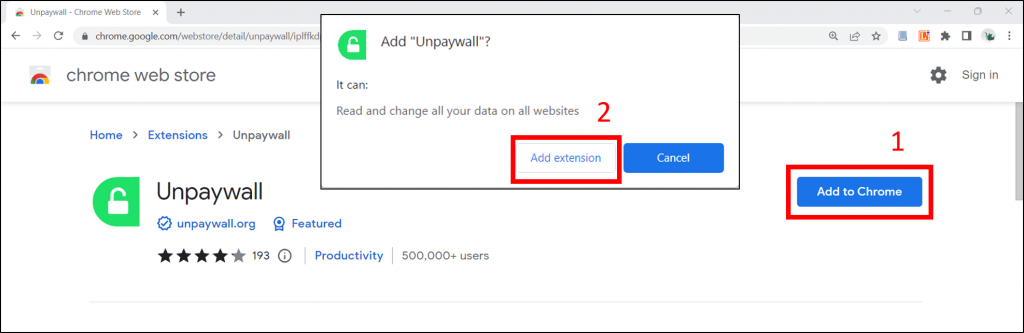
2. Select “Add to Chrome” then “Add extension” to install the extension.
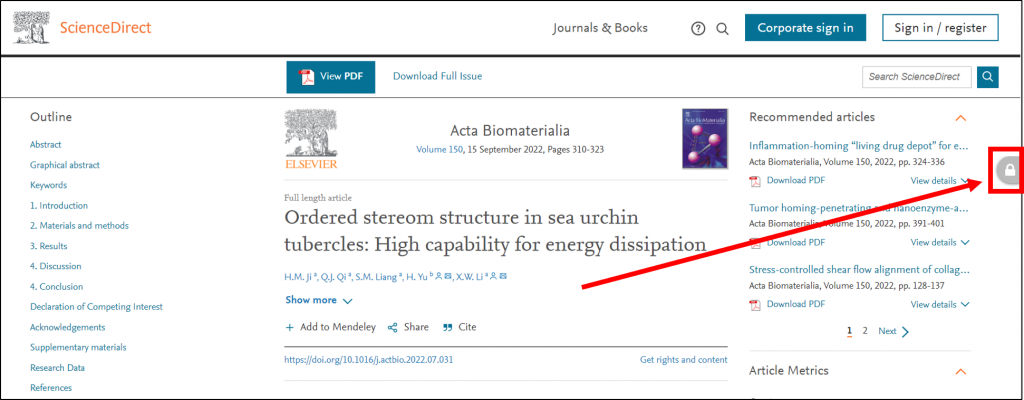
3. It can be used immediately once you get successfully installed. After you get into your article page on database. If it’s Open Access, a green padlock icon (Figure 1) will show up and users can click on to read or download FullText. But If there are a gray padlock icon (Figure 2), it means your article is not Open Access and cannot be accessed.
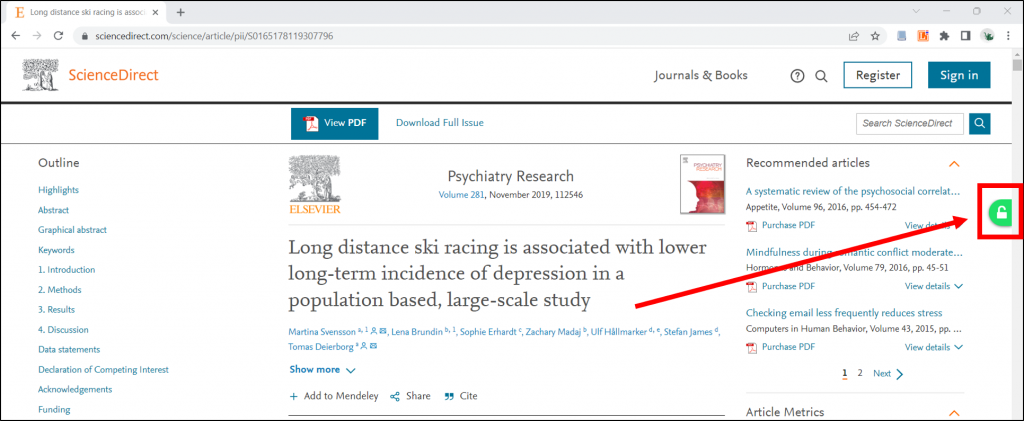
รูปภาพที่ 1 : ตัวอย่างเนื้อหา Open Access
Note :
– Mahidol instructors, students and staff can access non-OA resources which the University has subscribed to through the Ezproxy redirect extension, click the link for more detail : https://www.li.mahidol.ac.th/research_tip/ezproxy-redirect/