




Step 1
Once the user receives the resource sharing email notification, click on To download the resource: Click here as shown in the email.
The resource sharing system requires login with the library account before downloading the file.
Step 2
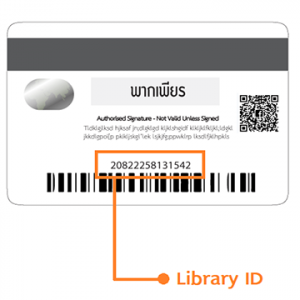
Username: Enter your Student ID Barcode or Library ID found in the We Mahidol Application.
Password: Enter the default password “mahidollibrary”, Then click Login.
Notice: To find your Student ID Barcode or Library ID in the We Mahidol Application.
Step 3
After successfully logging in, the electronic resource file will be automatically downloaded in PDF format.
Step 4
Users can log in to download or view the resource up to 3 times within 90 days.
©2026. Mahidol University Library and Knowledge Center. All Rights Reserved.